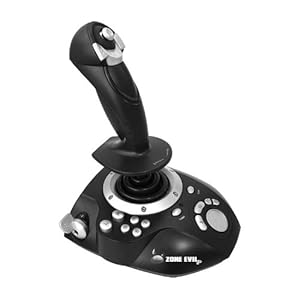
 interface devices-theses are things like the controller, joy stick, paddles and keyboards which is how the player interacts with the console. each interface device has downsides and advantages like the pedals and wheel would be much better to used for something like a racing game rather than a joystick but this does depend of the type of person and game but some are better allocated for different things but some of the advantages of a mouse and keyboard compared to a controller is that the mouse can allow for more accurate movement than a controllers analogue stick but a controller is much easier to use if there are multiply controls that can be done like GTA may be better to play with a controller but it can also be played with a keyboard and mouse. most of the interface devices connect to their console though USB ports however some can be wireless to a degree like the ps3 controller which is wireless but would need to be connected to the PS3 it's self to charge on occasion but the Wii remote is completely wireless since when using it and syncing it up to the Wii it never needs to be connected to the Wii
Central processor unit- the central processing unit is where most of the processes the console or the PC take place the types of CPU'S you can get are 64bit and 32bit. what is different between these two cpu's are only really the performance where a 32 bit processor is less efficient than an 64 bit like where a 32 bit can handle less instructions than a 64 bit and also the amount of memory which it can handle a 32 bit can do 4 GB and a 64 bit can handle 16 EB (=1 billion GB) if your processor is very good then you are able to run multiple programs at once without any problems but the weaker it is the slower it may be when wanting to have multiple programs open at once.
Graphics processor- this is like the CPU how ever this processor takes on all the jobs to do with the graphics like in a game it will be involved with the 3d or even the 2d models and also does the rendering with the pixels generally it will do what is too taxing for the main CPU to do since loading and rendering a 3d model as well as keeping track of it movements require a lot of power and are not easy things to do since there is a lot of maths involved so putting it on the GPU makes the programs run faster and more fluently
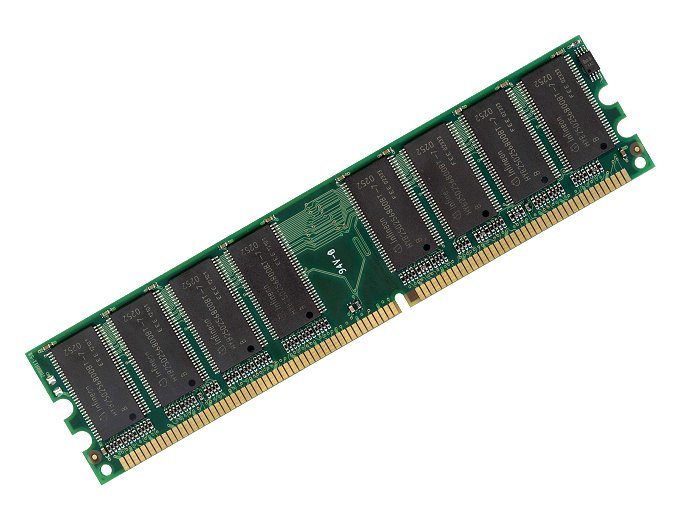 Memory-the purpose of RAM is to make the loading of programs and how they run faster and easier for the computer to do since it save it to RAM and so that when you want to open it to it is faster to do since it is easier to access there many types of RAM/memory like SRAM, DRAM and SDRAM.SRAM (static random access memory) is a much faster type of RAM better than the normal type of RAM you would get in a in a laptop for instance also uses less power than dynamic memory, SDRAM(synchronised DRAM) is a type of random access memory which synchronises to with the system bus so that any changes that happen in the computer it is able to change the computer accordingly.
Game storage- Game storage is where you save the files for the games you play most people would save them on to their computers HDD however you can also save them on things like magnetic tape and flash memory in terms of helpfulness the HDD would be the easiest since it is where if you use steam it is automatically saved there but flash memory could be better since it is much stronger than a HDD since it is a disc and flash memory is a chip and is easier to transport but don't hold that much in terms of data.


Human computer interface- the human interface device is just like the a normal interface device where but this is where you how they make it fit for human hand. for example these are two different controllers one form the ps1 and the other from the ps3 and at first there was nothing to do with ergonomics where the handles are very long and there are no control sticks and the controller is quite large but what the buttons have not changed so it is still quite simple but the way you would hold could hurt you hand over a prolonged time period. the ps3 controller is more portable than the ps1 one how ever the ps1 controller is slightly more portable where it just need to be plugged into another machine to work. A way to make controllers ergonomic is by putting grip and rubber on them shaped like the cantores and shape of the hand like the ps3 has done with the analogue sticks since they will be used more than say the x and square buttons.
 Display-the Display is what we use to view thing that we don one our computer without it we would not know what we are doing so this is things like the monitor and a type of monitor is LCD (liquid crystal display) this type of display is used a lot in portable devices this causes a display by running an electric though the liquid crystal solution which cause them to light up and devices that have LCD screens usually have a backlight to make them easier to read. another type of display although a bit old is the CRT monitor (cathode ray tube) used in computer monitors and television screens it runs a beam of light across the back of the screen which when it does it light up some of the dots on the inside of the glass and by doing lines of this staring form the top and going to the bottom it creates and image on the screen.
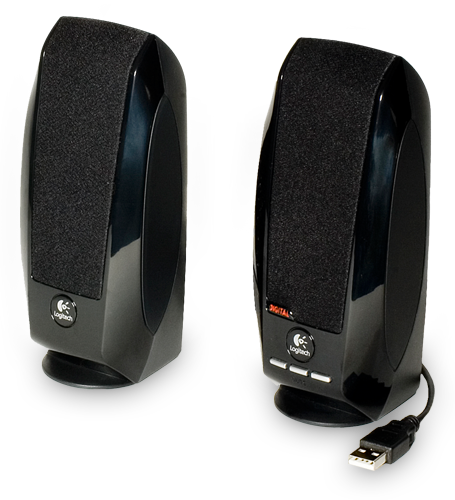 Audio-the audio is what we use to hear things from computers or television set and something like a computer has a sound card which is used to allow sound output and input in to the computer like using headphones and microphones. you can also have way in which audio is set up like surround sound where there are multiple speakers set one behind on either side of the viewer 2 in front and this when watching a movie or playing a game make sit so you are more engrossed into the movie/game since it makes you feel like you are there since the noise is coming from all around you there is also stereophonic sound which has 2 or more speakers directed at the viewer to make it seem like the sound is coming from all around you.
 Connectivity-this is how we connect to things be it internet or each other, one type of connection is LAN (local area network) and this type of connection is usually used to connect one house or two buildings together and does not contain many computers but can be used to play games on a computer or consoles, WAN (wide area network) is like LAN but on a larger scale and contains usually a small group of buildings and there LAN's, the biggest WAN is the internet and when you connect to a game online you are using a WAN, another type of connectivity to a computer or console is the good old USB port which can allow the user to transport information form one device to another, a stand alone connection is something that doesn't have to have an internet connections to function like a USB port since it doesn't need internet to transport information, GPRS (general packet radio service) is also a type of connection it is only good for sending and receiving small burst of data like email and web browsing but it also support a wide range of bandwidths but mainly runs at a speed of 115 Kilobytes a second, WAP (wireless application protocol)is a protocol used to access information for hand held devices so when you look up a web page on you phone you are using the WAP protocol.

No comments:
Post a Comment